Here is the secret of pedometer apps: your phone does the counting, not the app. iPhones and Android phones both carry a low-power hardware step sensor that ticks along all day whether you install anything or not. What you are actually choosing when you pick the best pedometer app is honesty, presentation and motivation: does it read the sensor without inflating it, show the number in a way you will glance at daily, and give you a reason to keep walking in November. This is our platform-agnostic list for 2026, with the platform-specific deep dives linked where they exist.
iPhone-only readers should also see best pedometer app for iPhone; Android readers get the full treatment, including double-counting fixes, in best step counter apps for Android.
Short verdict: Pedometer by Fitcoin for a free, ad-free counter with streaks and friends (ours, free on the App Store; Android coming soon). Fitcoin if you want the steps to earn partner rewards. Pedometer++ on iPhone and StepsApp anywhere for design. Pacer for group challenges, and Samsung Health or Apple Fitness if you would rather not install anything at all.
Disclosure: Fitcoin and Pedometer by Fitcoin are our products. We are not affiliated with Apple, Samsung, StepsApp, Pacer or Pedometer++. Where our apps appear, we say so and list their limits alongside everyone else’s. Step counts and calorie estimates on any device are estimates, not medical measurements.
What actually separates pedometer apps
- Source honesty. The good ones read one source, or merge sources properly through Apple Health / Health Connect. The bad ones sum a watch and a phone and flatter you by 40%.
- Battery behaviour. A pedometer should cost effectively nothing, because the hardware sensor does the work. An app that drains 10% a day is doing something the job does not need, usually location.
- The free tier. Counting must be free. Paid tiers should only buy comfort: no ads, longer history, widgets, coaching.
- A reason to come back. Streaks, friends, challenges or rewards. The most accurate pedometer you stop opening in week three counts for nothing.
The 7 best pedometer apps in 2026
1. Pedometer by Fitcoin: free, no ads, both platforms (ours)
Our free companion app, live on the App Store now (Android coming soon), and we are obviously biased, so here is exactly what it is. One home screen: today’s total, your streak, and a seven-day trend. The streak asks for 1,000 steps a day, deliberately low, with tiers that climb as consecutive days stack, because the habit is the product. Start a live walk or run and you get route, pace, calories and heart rate; skip that, and daily steps still count with GPS off entirely. Your Fitcoin friends appear ranked on today’s steps. No ads, no subscription, and the same account and wallet as the main Fitcoin app if you use both. What it does not do: food, sleep, coaching. It is a pedometer, on purpose.
2. Fitcoin: the pedometer that pays out
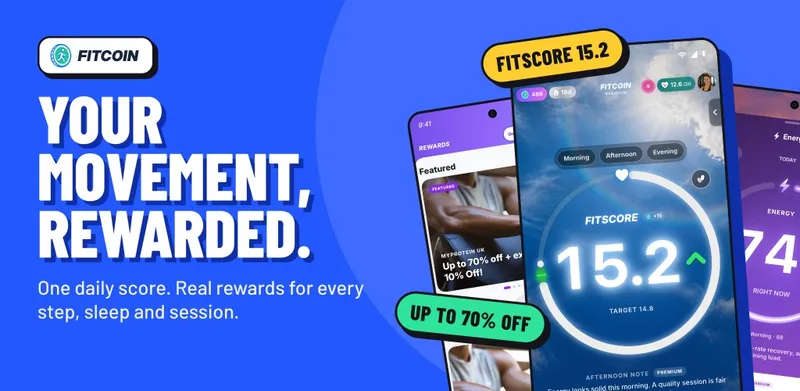
Fitcoin, our main app, is free on iPhone and Android and turns verified movement into something. Steps and workouts read from Apple Health or Health Connect build a daily FitScore, FitScore earns Fitcoin, and Fitcoin is redeemed for partner-brand rewards. It is a rewards currency, not crypto and not an investment. Crucially for this list, it deduplicates overlapping sources, so a watch and phone recording the same walk count once. A rewards app has to be strict about that or the rewards mean nothing. If earning from steps is the main draw, the whole category is compared in step counter apps that pay.
3. StepsApp: the designer option
StepsApp is the best-looking pedometer on either platform: animated bar charts, colour themes, excellent widgets and watch complications. It reads the phone sensor and syncs with Apple Health and Health Connect. Free with ads; the paid tier removes them and unlocks themes, goals and export. If a beautiful chart is what gets you to 10,000, this is money well spent.
4. Pacer: steps with people attached
Pacer is the veteran social pedometer: groups, organised challenges, routes and a feed, on both platforms. Counting is solid and free with ads; the subscription adds coaching plans and removes the clutter. Best pick if accountability to other humans is what keeps your shoes on.
5. Pedometer++: the iPhone classic
Pedometer++ has been the iPhone pedometer for over a decade: a widget-first counter that merges iPhone and Apple Watch counts sensibly through Apple Health, with streaks, achievements and now full walk routes. iPhone and Apple Watch only. It sits at the top of our dedicated iPhone pedometer list for a reason: it does one thing, has done it for years, and respects both your battery and your attention.
6. Samsung Health: the Galaxy default
Free and preinstalled on most Samsung phones, with a competent step tile, Together challenges, and Galaxy Watch integration. It is a full health suite rather than a pedometer, which is either a bonus or a burden depending on how many tiles you enjoy dismissing. If you own a Galaxy phone and want zero new installs, start here.
7. Apple Fitness: the iPhone default
The Fitness app is on every iPhone and now shows steps prominently even without an Apple Watch, alongside move calories and trends. It is free, private and zero-effort. What it lacks is pedometer soul: no step streaks as a first-class feature, no friends ranked on today’s steps, and the ring-centric design cares more about calories than counts. A fine default; not a destination.
Free vs paid, honestly
| App | Free tier | What paying adds | Platforms |
|---|---|---|---|
| Pedometer by Fitcoin | Everything, no ads | Nothing to buy | iPhone (App Store), Android (coming soon) |
| Fitcoin | Everything, no ads | Nothing to buy; steps earn rewards | iPhone, Apple Watch, Android |
| StepsApp | Counting, basic charts, ads | No ads, themes, goals, export | iPhone, Android |
| Pacer | Counting, groups, ads | Coaching plans, no ads | iPhone, Android |
| Pedometer++ | Counting, streaks, widgets | Optional tip-jar-style support | iPhone, Apple Watch |
| Samsung Health | Everything | Nothing to buy | Android (best on Galaxy) |
| Apple Fitness | Everything (Fitness+ is workouts, not steps) | Fitness+ video workouts | iPhone, Apple Watch |
Notice the pattern: nobody on this list charges for the count itself. Any pedometer that does is selling you back your own sensor.
Accuracy notes from testing
On a measured 1,000-step walk with the phone in a trouser pocket, modern iPhones and Android flagships land within a few percent of a manual count, and the apps above all report essentially the same number, because they are reading the same sensor. Where the numbers diverge in real life:
- Phone location. In a bag or pram basket, the phone misses the rhythm of your gait and undercounts. On your body, it is fine.
- Housework and desk time. Steps without the phone on you simply never happen, as far as the phone knows. A watch fixes this.
- Multiple sources summed. The single biggest cause of inflated counts. An app that adds watch and phone steps for the same hour can overshoot by thousands.
- Trolleys and treadmills. Hands fixed on a bar means a wrist-worn watch undercounts; the phone in your pocket usually does better here.
We take accuracy apart properly, including how to test your own setup in ten minutes, in what’s the most accurate step counter app.
Pick in one sentence
Want a clean free counter: Pedometer by Fitcoin. Want steps that earn: Fitcoin. Want beauty: StepsApp, or Pedometer++ on iPhone. Want people: Pacer. Want nothing new installed: Samsung Health or Apple Fitness. Then stop shopping and go for a walk, because the difference between any two apps on this list is smaller than the difference between 4,000 and 8,000 steps a day.
Frequently asked questions
What is the best pedometer app?
For a clean free counter on iPhone, Pedometer by Fitcoin (ours, free on the App Store; Android coming soon). For steps that earn something, Fitcoin. For design, StepsApp on Android or Pedometer++ on iPhone. For community challenges, Pacer. Samsung Health and Apple Fitness are the strong built-in defaults on their own hardware.
Are pedometer apps accurate?
Modern phones count steps within a few percent on a normal walk, because the counting is done by the phone’s hardware sensor, not the app. The app’s job is to read that sensor honestly. Big inaccuracies usually come from where the phone is (in a bag, on a desk) or from apps summing several sources, not from the sensor itself.
Do I need to pay for a pedometer app?
No. Counting steps is free on every app in this list. Paid tiers buy ad removal, longer history, themes, coaching plans or challenge features, never better counting. If an app locks the count itself behind a paywall, close it and pick another.
Which pedometer app works without a watch?
All of them. Every app here counts with the phone alone using its built-in step sensor. A watch simply catches the steps you take while the phone is on the sofa, which for most people adds a meaningful chunk of the day.
Is there a pedometer app that pays you to walk?
Yes, it is a whole category. Fitcoin (ours) converts verified steps and workouts into Fitcoin you redeem for partner rewards. Others include Sweatcoin and WeWard. Payouts across the category are modest, so pick the app you would use anyway and treat earnings as a bonus. The honest comparison is in step counter apps that pay.
How we researched this: Written 16 August 2026 from hands-on use on iPhone and Android hardware, Apple’s Core Motion and HealthKit documentation, Google’s Health Connect developer documentation, and the public store listings and feature pages of StepsApp, Pacer, Pedometer++, Samsung Health and Apple Fitness. Prices and free tiers change; check the live listing before paying for anything. Fitcoin and Pedometer by Fitcoin inclusion is ownership-disclosed. Step and calorie figures are estimates, not medical measurements.
Related reading: best pedometer app for iPhone, best step counter apps for Android, step counter apps that pay., How many steps a day
About the author: Harris Khan is the co-founder of Fitcoin. He studied at Loughborough University and has more than 15 years of personal experience across strength training, bodybuilding, Muay Thai and general fitness.